Hey there, security engineer! Today’s 10-minute power session is laser-focused on two concepts that sit right at the heart of every solid identity and credential system you’ll build or defend: MAC/HMAC (the tamper-evident seal on your messages/tokens) and key rolling (the smart way to change the locks without locking out your users). These two are best friends — you use an HMAC with a secret key to sign JWTs, API requests, or credential proofs, then you roll that key on a schedule so a breach doesn’t give attackers eternal access. Think of it as giving your digital vault a fresh set of keys every few months while keeping the old ones valid for a short “grace window” so nothing breaks.
Let’s start with the authentication side. A MAC (Message Authentication Code) is a short cryptographic tag you attach to any piece of data (a JWT payload, an API request body, a certificate serial number, whatever) so the receiver can prove two things: (1) the data hasn’t been tampered with in transit, and (2) it really came from someone who knows the shared secret. Without a MAC, an attacker could just change “role=admin” to “role=superadmin” and you’d never know.
The most popular, battle-tested version is HMAC (Hash-based Message Authentication Code). It’s defined in RFC 2104 and basically turns any cryptographic hash function (SHA-256, SHA-384, SHA-512) into a keyed authenticator. Here’s the magic in plain English: HMAC does two passes over the data using the secret key cleverly padded with special constants (ipad and opad). This double-XOR trick stops length-extension attacks that would otherwise let an attacker forge new messages once they see one valid tag. The result is a fixed-size tag (usually 256 or 512 bits) that looks completely random to anyone who doesn’t have the exact same secret key.
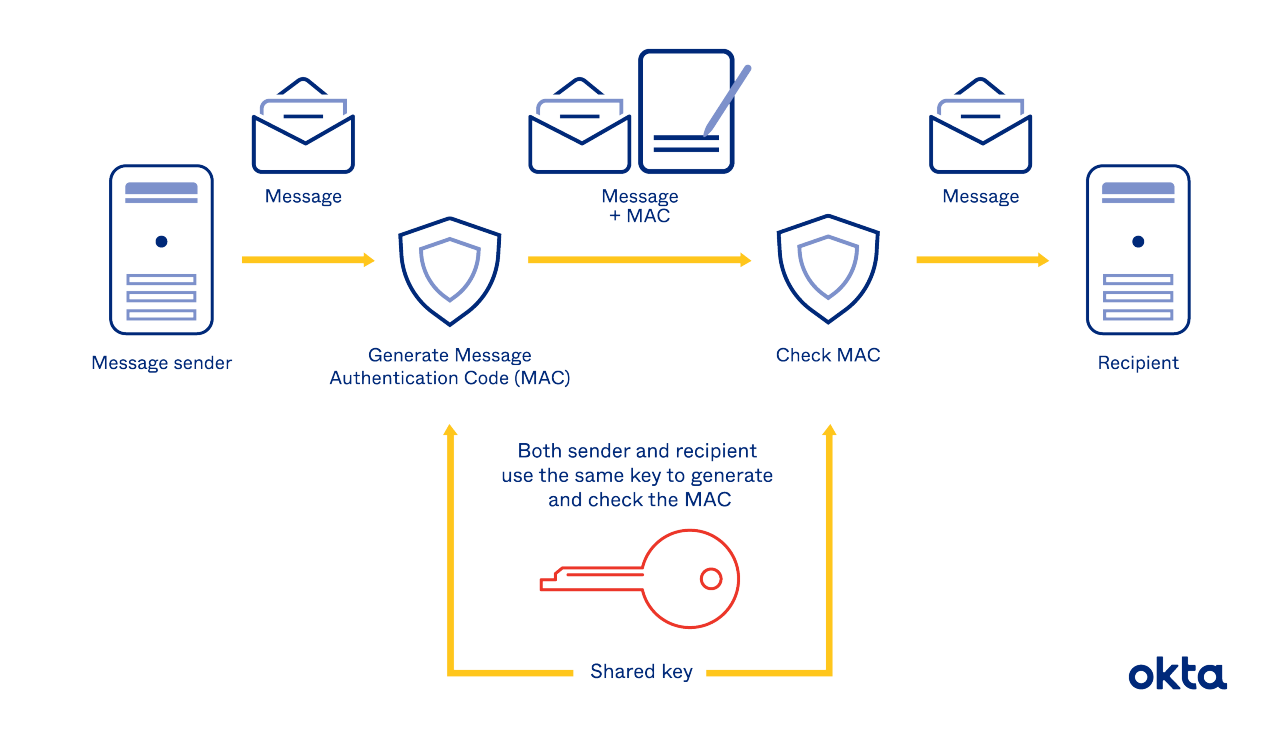
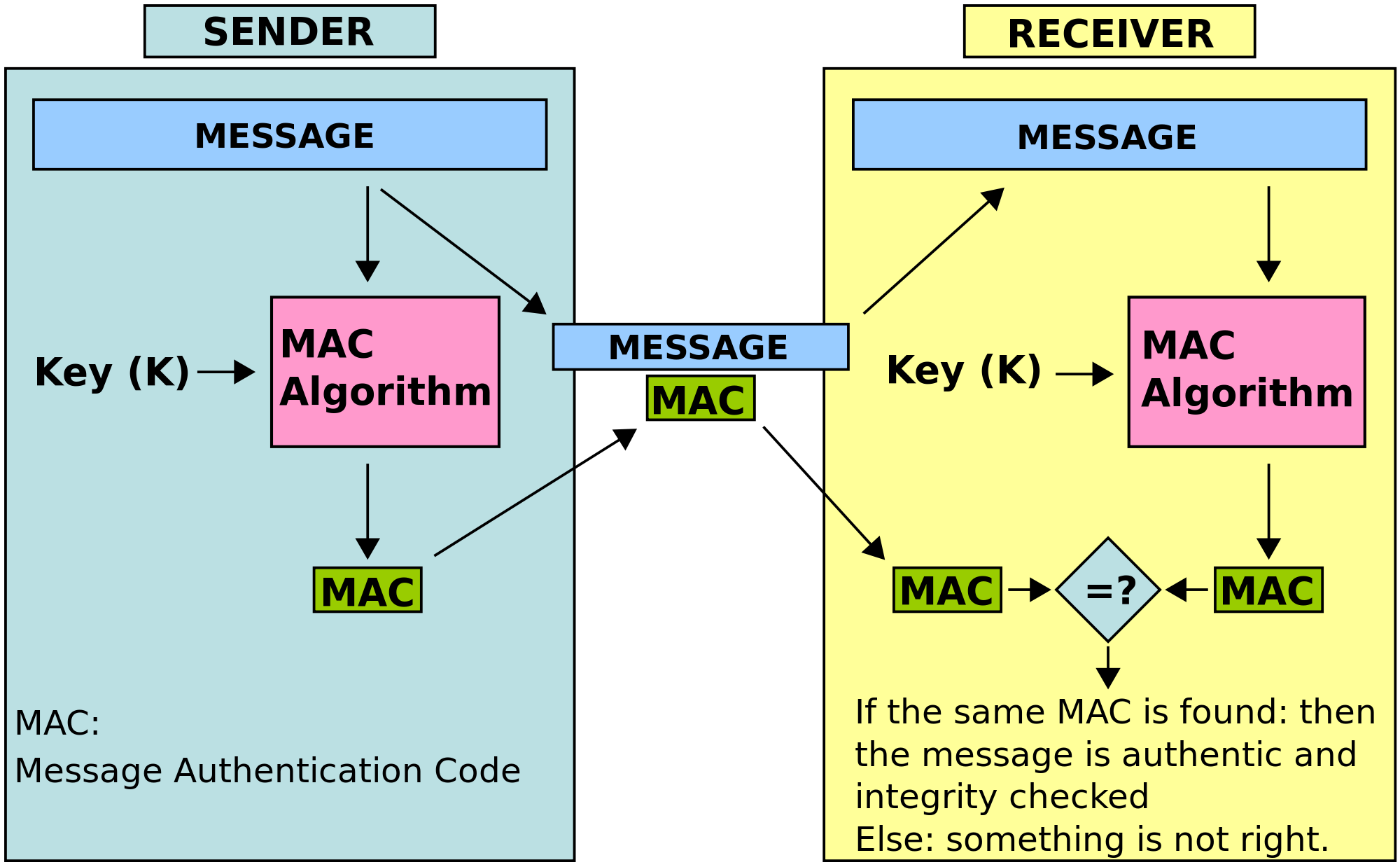
The flow is beautifully simple: sender and receiver both share the exact same secret key. Sender runs HMAC(key, message) → attaches the tag. Receiver runs the same HMAC(key, received_message) and checks if the tags match byte-for-byte. If they do → authentic + intact. If not → reject immediately. No decryption needed, which is why HMAC is fast and perfect for high-volume credential checks.
Here’s the practical part you love — copy-paste this into your terminal right now (Python 3, no extra installs):
Python
import hmac
import hashlib
import secrets

# Real-world secret (in production: load from env or HSM)
secret_key = b"super-secret-hmac-key-2026-for-credentials"  # 32+ bytes is good

# Example credential data you'd sign (like a JWT payload)
credential = b"user_id=98765&role=admin&exp=1740500000&iss=my-identity-service"

# Compute the HMAC tag (this is what you'd put in a JWT signature or API header)
tag = hmac.new(secret_key, credential, hashlib.sha256).hexdigest()
print(f"HMAC-SHA256 tag: {tag}")

# Verification on the receiving side
def verify_hmac(key, data, received_tag):
    expected = hmac.new(key, data, hashlib.sha256).hexdigest()
    return hmac.compare_digest(expected, received_tag)  # timing-safe!

if verify_hmac(secret_key, credential, tag):
    print("✅ Credential is authentic and untampered!")
else:
    print("❌ Something fishy!")
Run it, then change one character in credential (try making the role “superadmin”) and watch the verification instantly fail. That’s the power in action. Want to play more? Replace hashlib.sha256 with sha384 or sha512 — same API, different security level.
Leave a Reply